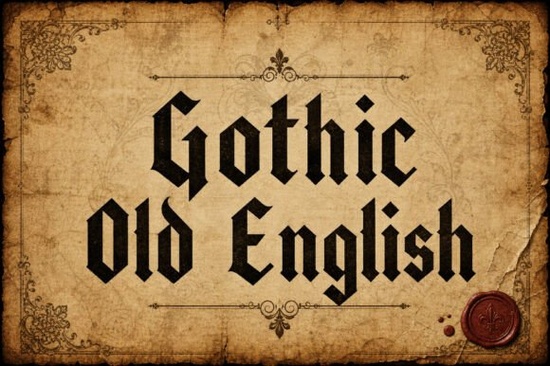
If you are looking for a blackletter font that carries real medieval character without looking like a cheap Halloween knockoff, Gothic Old English Font is a solid choice. It is designed to mimic authentic Old English calligraphy from the medieval era, but it also works for modern projects like logos, posters, and album covers. The sharp edges and gothic structure give it a bold, authoritative look that stands out on both screen and paper.
What can you actually do with Gothic Old English Font?
This font is not just for historical reenactment flyers. Because of its strong, readable blackletter style, it fits many different design contexts:
- Logos and branding – especially for businesses that want to convey heritage, craftsmanship, or a dark aesthetic (think breweries, tattoo shops, medieval-themed stores).
- Tattoo art – the sharp edges and solid structure work well for lettering that needs to stay legible even at smaller sizes.
- Posters and album covers – metal bands, gothic events, or any design that needs a dramatic, timeless feel.
- Certificates and awards – the formal, old-fashioned look gives an air of authenticity and tradition.
- Print-on-demand products – t-shirts, mugs, hoodies, and wall art for customers who like gothic or medieval themes.
Because the font is solid and not overly decorative, it remains readable even when used in longer phrases. That is a big plus for small business owners who need to put actual text on a design without losing clarity.
How does it compare to other blackletter choices?
You might have seen other blackletter fonts that are too thin, too ornate, or just hard to read. Gothic Old English strikes a balance between authenticity and usability. It has the classic Goth-inspired sharpness, but the letterforms are kept relatively clean. That means you can use it for body text in a poster headline or a short quote without needing to adjust spacing constantly.
If you want a similar style with a slightly different feel, you can check out Kingsbridge Font, which is another blackletter option in the same category. Kingsbridge has a more hand-drawn, slightly rougher edge – great if you want an aged, weathered look.
For the purest experience of medieval blackletter, Gothic Old English stays closer to traditional calligraphy forms. It is a font that carries the weight of heritage without being too difficult to work with in modern design software.
Is this font suitable for both print and digital design?
Yes. The font file includes standard formats (OTF, TTF, and often WOFF) that work in Adobe Creative Suite, Canva, Cricut Design Space, and most other design tools. Because the strokes are bold and uniform, it prints well even on uncoated paper or fabric. On screen, the sharp edges remain crisp – ideal for website headers or social media graphics.
One small tip: when using this font on a dark background (common in gothic designs), consider adding a slight stroke or drop shadow to avoid losing the thin parts of the letters. But honestly, the font is solid enough that it does not need much help.
Where can you find Gothic Old English and similar fonts?
You can get Gothic Old English directly from Gothic Old English on Creative Fabrica. It is part of the blackletter collection, and you will also find other complementary fonts if you browse that category. If you are a regular font user, Creative Fabrica’s subscription model can be a cost-effective way to build a library without buying each font individually.
A quick checklist before you use Gothic Old English in a project
- Test readability – pull a sample sentence (not just a single word) and check legibility at your target size. Blackletter can get crowded in long phrases.
- Pair it wisely – this font works best with a clean sans-serif (like Helvetica or Montserrat) for body text. Avoid pairing it with another decorative font.
- Check the license – if you plan to sell merchandise or use the font in a logo, make sure your license covers commercial use. Most Creative Fabrica fonts do, but always verify.
- Adjust kerning manually – blackletter fonts sometimes have tight or uneven spacing between certain letter pairs (like “F” and “o”). Spend a few minutes tweaking kerning in your design software.
- Use a light hand – the font is already bold. Avoid adding heavy outlines, shadows, or textures that could make it muddy. Let the sharp edges speak for themselves.
Gothic Old English is not a font for every project, but when you need that medieval authority and gothic edge, it delivers without looking like a cliché. Try it on a simple logo or poster first – you will quickly see whether it fits your style.
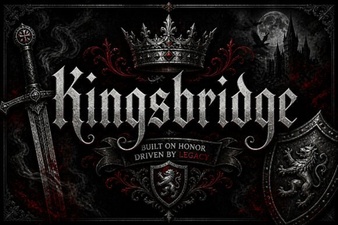 Craft with Kingsbridge Font for Your Designs
 Groovy Fonts: Creative Design Projects for Your Website
 The Pokenom Font: a Creative Toolkit for Designers
 Butterfly Monogram Font: Design Your Elegant Initials
 Free Download of the Biscuit Font Design Package
 Design with Playful Lucky Chunks Typography