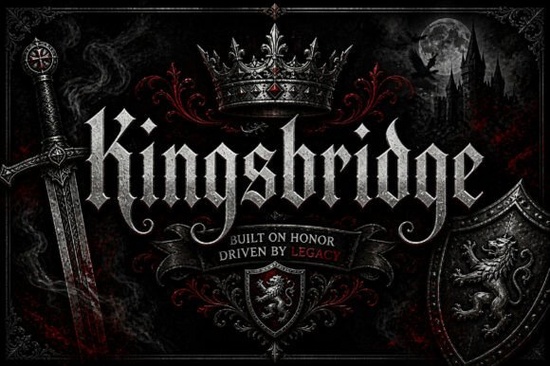
If you’re looking for a blackletter font that feels both historic and modern, Kingsbridge Font might be exactly what you need. This refined display typeface brings sharp gothic letterforms, dramatic contrast, and elegant swash details together in a way that feels timeless but still usable for today’s projects. Whether you’re designing a logo, a concert poster, or a product label, it gives your work a strong, sophisticated presence without looking like a copy of every other blackletter out there.
What makes Kingsbridge different from other blackletter fonts?
Many blackletter fonts lean heavily into medieval or horror themes, but Kingsbridge strikes a balance between tradition and modern display appeal. The letterforms are bold and authoritative, yet the swashes and delicate contrasts add a layer of refinement that works for luxury branding, wedding invitations, or fashion labels. It doesn’t feel “stuck in the past” – instead, it lets you create designs that feel classic but fresh.
The font comes with multiple stylistic alternates and ligatures, so you can customize the look without needing to edit vectors manually. That’s a big time-saver if you’re working on multiple products or variations for a client.
How can I use Kingsbridge Font in my projects?
Because of its strong visual presence, Kingsbridge works best as a display font – think headlines, titles, and short text. Here are some real ways designers and small business owners are using it:
- Logos and branding – especially for companies that want to communicate heritage, craftsmanship, or luxury.
- Posters and album covers – the dramatic contrast makes text pop from a distance.
- Apparel and merchandise – perfect for gothic-style t-shirt quotes or fashion labels.
- Packaging and product labels – adds a premium feel to wine bottles, candles, or artisan goods.
- Tattoo artwork and event graphics – the sharp edges and swashes translate well into ink or large format prints.
For print-on-demand sellers, Kingsbridge is a strong choice because it stands out in a crowded market. A simple quote set in this font can turn a basic hoodie into a high-end item.
What about pairings with other fonts?
Kingsbridge pairs nicely with clean sans-serif fonts for body copy. Try using it for your title and a simple geometric sans for the smaller text – that contrast keeps the design readable while still giving you that bold headline. You can also pair it with delicate serifs for a more elegant, vintage look.
Where can I get Kingsbridge Font?
You can download Kingsbridge Font from Creative Fabrica, where it’s available as part of their font library. If you’re already subscribed, you can grab it at no extra cost. If not, it’s also sold individually – great if you only need one font for a specific project.
Looking for more options? Check out the full collection of blackletter fonts that includes Kingsbridge and similar styles. You might also like browsing through gothic and old English style fonts for even more inspiration. Both categories have a wide range of weights and extra characters, so you can find exactly what fits your design.
Is Kingsbridge easy to use for beginners?
Yes. The font installs like any standard OTF or TTF file. Once installed, you’ll find it in your font menu in programs like Canva, Adobe Illustrator, Photoshop, or even Cricut Design Space. The swashes and alternates are accessible through the OpenType panel – no special software needed. If you’re new to using OpenType features, Creative Fabrica has tutorials that walk you through it step by step.
Does it include numbers, punctuation, and language support?
Yes, Kingsbridge comes with a standard set of uppercase and lowercase letters, numbers, punctuation, and basic multilingual support. You can use it for most European languages without worrying about missing characters. Keep in mind that because it’s a display font, long paragraphs in all caps might be hard to read – stick to short lines and generous spacing.
Your quick checklist before using Kingsbridge Font
- Test the font at different sizes – it looks best at 24pt and above.
- Try the stylistic alternates and swash variants for a custom feel.
- Pair it with a clean sans-serif for body text.
- Use it sparingly – one word or a short phrase often has more impact than a full sentence.
- Check kerning manually if you’re using large letter spacing.
Next step: If Kingsbridge fits your project, download it and try setting your brand name or a key headline in it. Play with the swashes and alternates – you might be surprised how much character a single font can add.
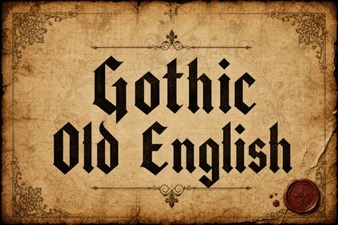 Design with Gothic Old English Fonts
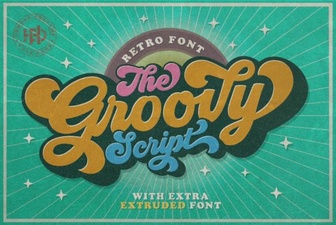 Groovy Fonts: Creative Design Projects for Your Website
 The Pokenom Font: a Creative Toolkit for Designers
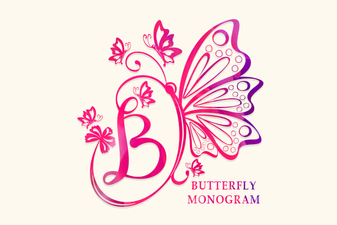 Butterfly Monogram Font: Design Your Elegant Initials
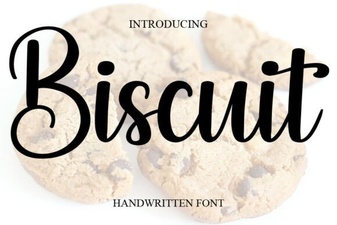 Free Download of the Biscuit Font Design Package
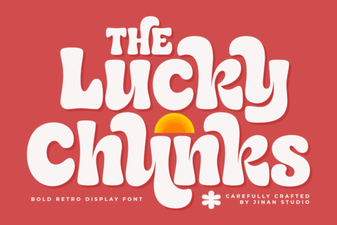 Design with Playful Lucky Chunks Typography